

NIGHTFALL
Melody after dark
Slow your melody to half speed in time with the beat, chop it, flip it backwards and sink it into tape, haze and dark rooms. Pick a preset, turn Night, done.
Windows 10 and 11, 64-bit. VST3, for FL Studio and other DAWs.
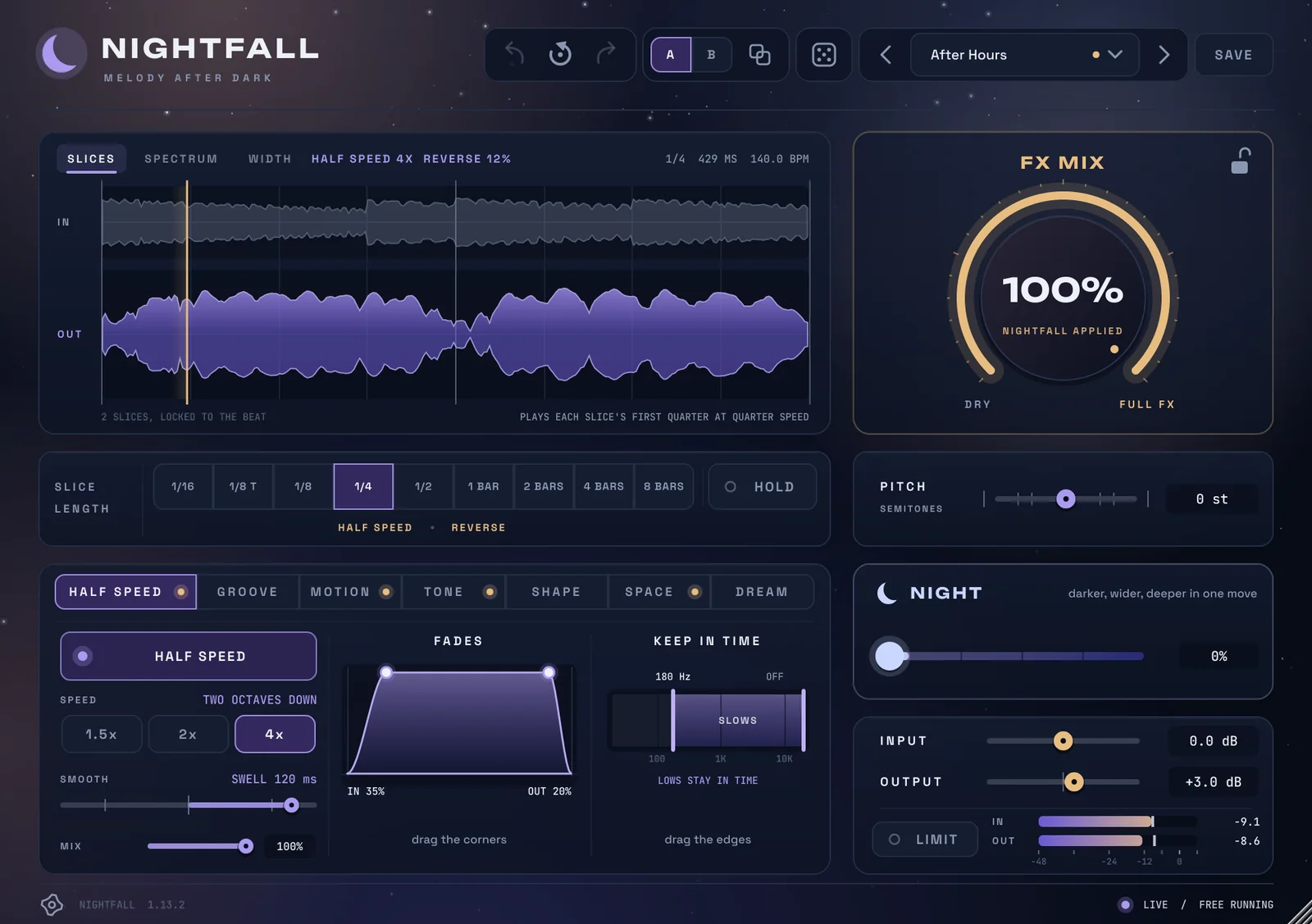
Play with it
Real renders of Nightfall's presets, on a keys loop and a bell phrase at 140 BPM. Press play, pick a preset, and flip to Dry and back: every preset is as loud as the sound going in, so you hear the sound, not the volume.
When a melody needs more
Too clean? Age it.
Vinyl Smoke puts your melody on a worn record: wow, flutter, grit and the top rolled off. Your own loop, with the feel of a sample.
Half time that stays in time.
Blue Hour plays each bar at half speed from its downbeat, so it never drifts off your drums, and swells each slice into the next.
Bounce from a straight loop.
Swing Chop gates the melody in swung 16ths with a 1/8 echo: drill bounce from a loop played dead straight.
An intro that pulls them in.
Witching Hour plays every beat backwards, rising into each bar. Run it for the intro, then drop the melody in clean.
Seven pages of effects, one click each
Every effect sits on the page for what it does, so you can find it, and every preset shows exactly what it turned on.
Slow down, in time
Each slice plays slower from its downbeat, 1.5, 2 or 4 times, so it stays locked to the beat. Smooth sets how slices join, from a hard cut to a swell, and the lows can stay in time while the rest slows.
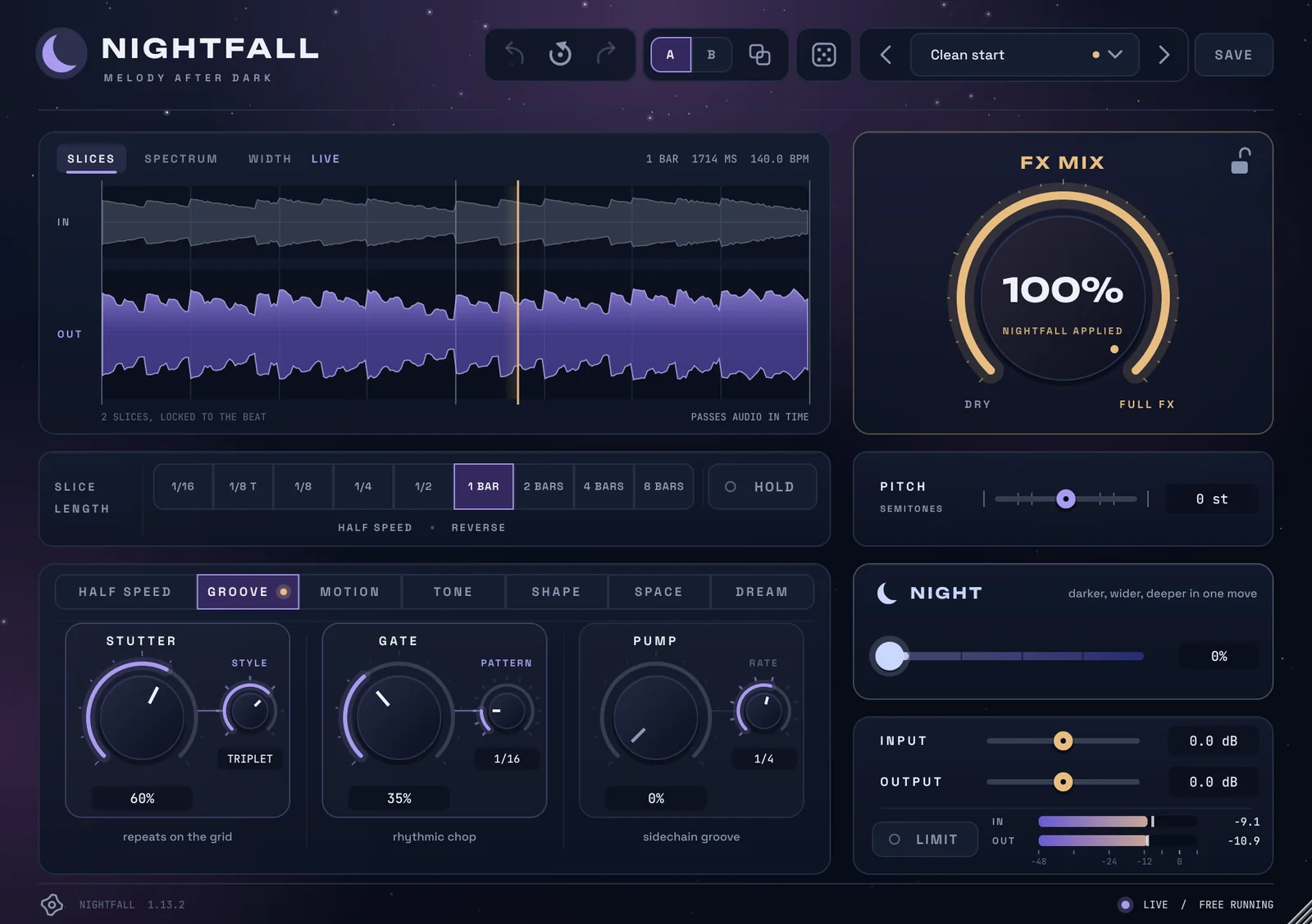
Stutter, gate, pump
Stutter repeats what just played, in time. Gate chops it in 13 patterns, from straight 16ths to swing and glitch. Pump ducks it like a sidechain, from every 1/16 to every two bars.
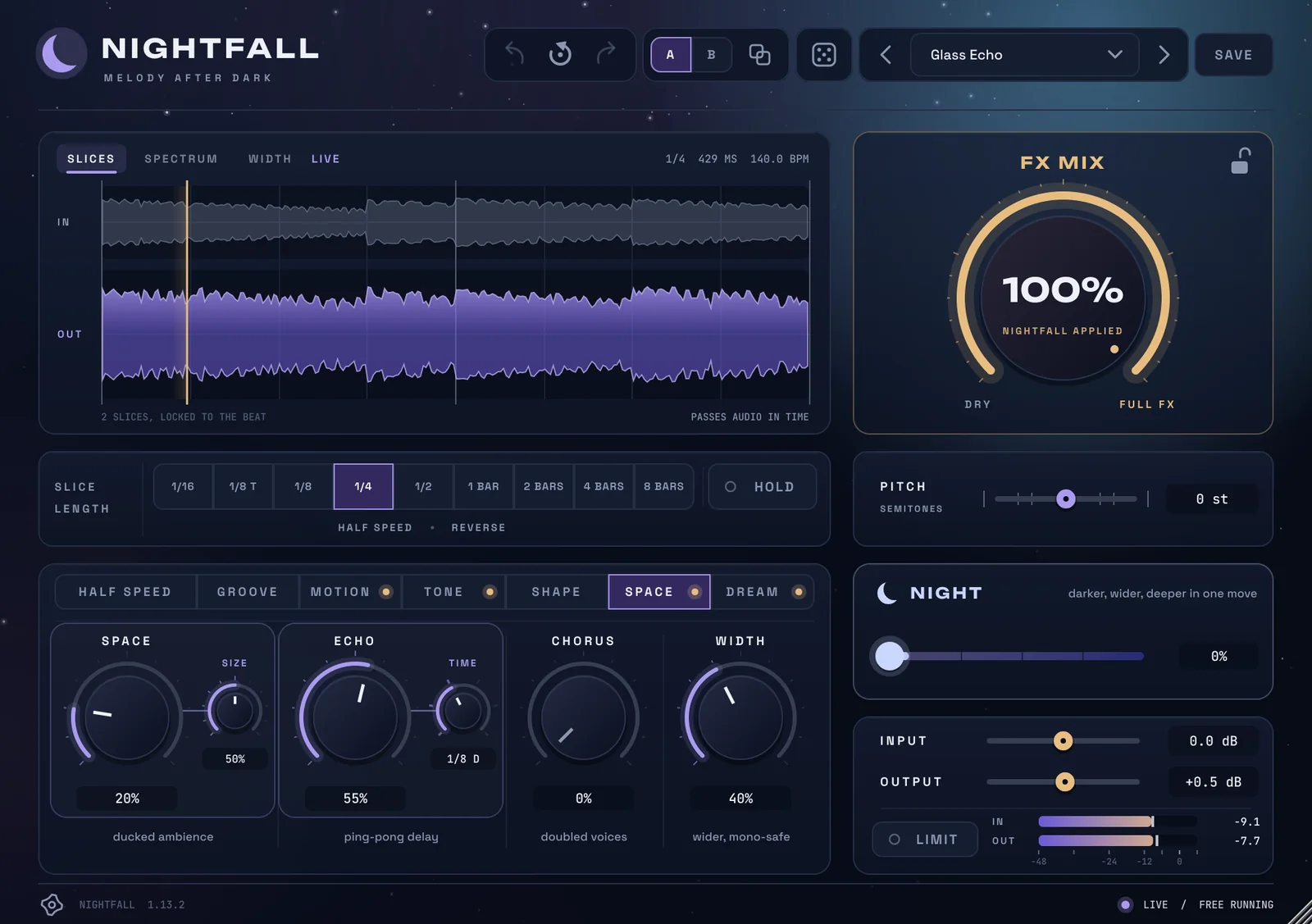
Rooms that get out of the way
Echo and reverb that duck while the melody plays and bloom in the gaps, a ping-pong delay, chorus, and width that stays mono-safe.
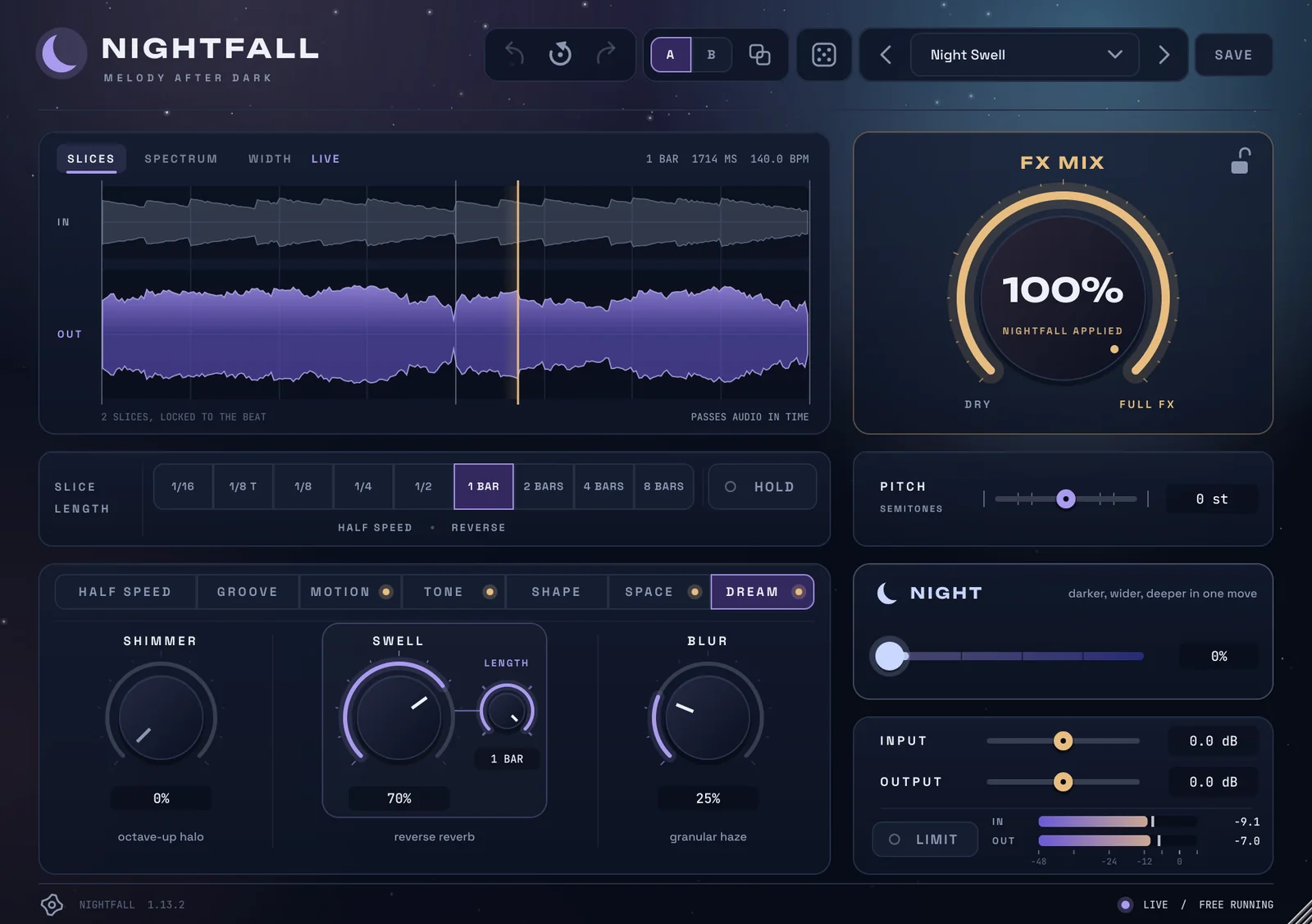
Shimmer, swell and haze
Shimmer climbs in octaves, Swell rises backwards into each downbeat, and Blur turns the melody into a haze.
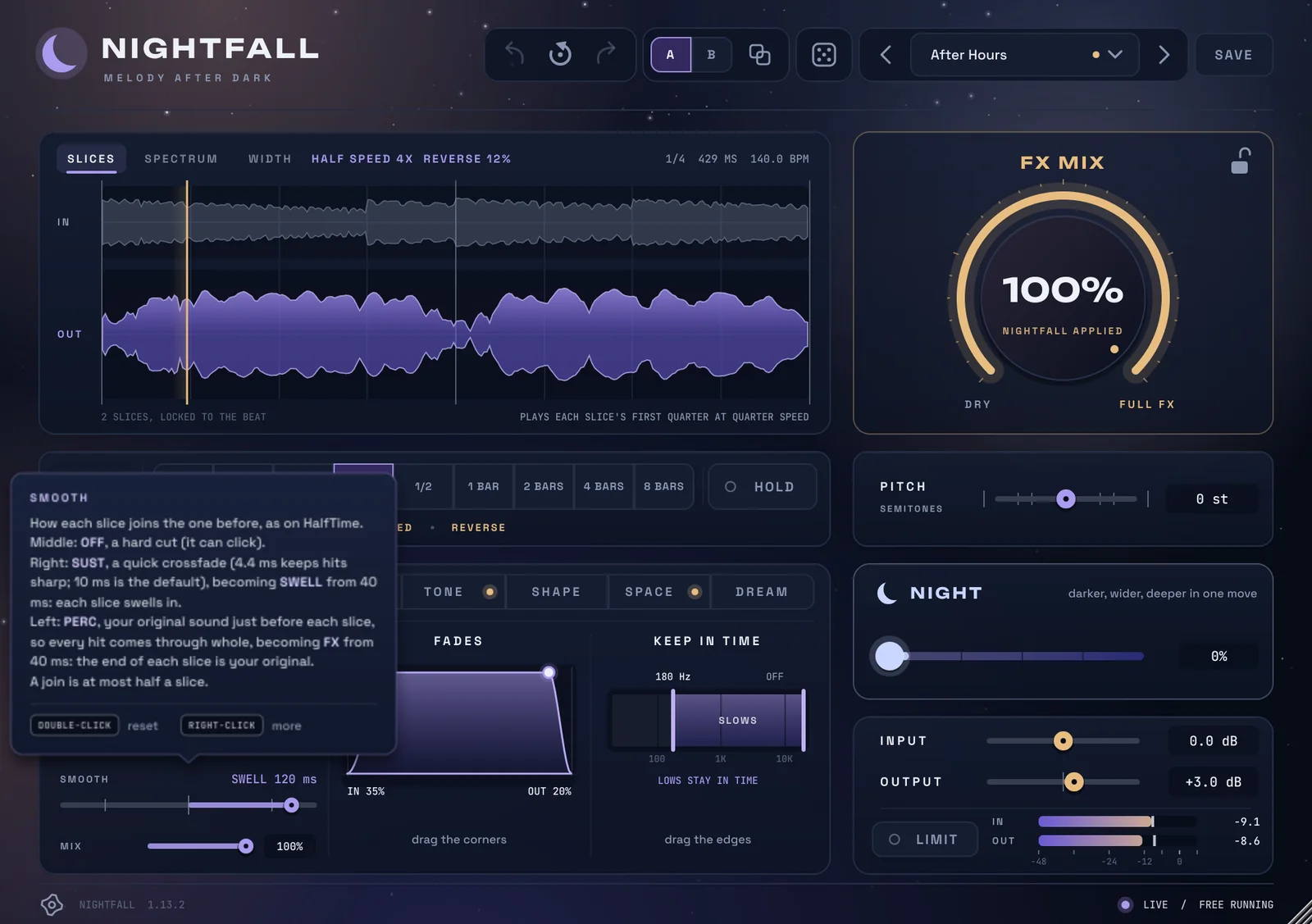
Every control explains itself
Rest the mouse on any control to see what it does. A gold light on a page shows something on it is switched on, so nothing in use is ever hidden.
What's in it
- 29 presetsEach one sets its own output, so it comes out as loud as it went in.
- Slices locked to your beatFrom 1/16 to 8 bars, at your project's tempo. Hold freezes one into a loop.
- NightOne knob that makes it darker, wider and deeper in one move.
- FX MixFrom dry to full, to tuck the effect under the original.
- PitchUp or down in semitones, before everything else.
- Safe to pushInput and output from -24 to +24 dB, a limiter, A/B compare, undo and redo.
Two ways to get Nightfall
Nightfall, yours to keep
Want to hear the day it's out? Email us and we'll tell you.
Prices in pounds. Any tax due where you live is added at checkout. When the trial ends, Nightfall passes your sound through untouched and keeps every setting, so a key brings your projects back exactly as you left them.
- Your key arrives straight away, on screen and by email.
- One computer at a time, and you move it yourself from the plugin's menu.
- No internet in the studio? Activate with a file instead.
- Free updates. The plugin tells you, then installs them when you say so.
All Access
Nightfall, KeyLens and every plugin we make next, in one subscription.
- Every new plugin, the day it's out.
- Up to three computers for each plugin, with one key.
- Every update for every plugin.
- Less up front: £4.99 a month, instead of £48 for both today.
Questions
Does it work in my DAW?
Nightfall is a VST3 plugin for Windows 10 and 11 (64-bit). It works in FL Studio, Ableton Live, Cubase, Studio One, Bitwig Studio, REAPER and other DAWs that load VST3 plugins.
Is there a Mac version?
Not yet. A version for Logic and other Mac DAWs is on the way.
What happens when the trial ends?
Nightfall passes your sound through untouched and keeps every setting in your projects. Buy a key and they come back exactly as you left them.
Can I use it on music I release?
Yes. Anything you make with Nightfall is yours, including commercial releases.
How many computers can I use it on?
One at a time when you buy it outright, and you can move it to a new computer yourself, from the plugin's menu. With All Access, it's up to three for each plugin.
Do I need to be online?
Only to start the trial or activate a key. No internet in your studio? Activate with a file instead.
Is there a subscription?
Yes. All Access gives you every SoundFigure plugin, new ones included, for £4.99 a month or £49 a year. It's in the menu at the top of the page.
You need: Windows 10 or 11 (64-bit), a DAW that loads VST3 plugins, and an internet connection once to start the trial or activate. More help is on the support page.